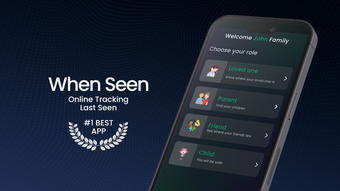

Monitor Your Child’s App Usage with Precision
Overview
WhenSeen is a desktop application designed to help parents gain insight into their children’s digital habits. The software focuses on tracking app usage across Windows and Mac platforms, offering structured reports on time spent on various applications. Its primary purpose is to support healthier digital wellbeing by enabling parents to understand when and how their children engage with digital devices. The tool is particularly suited for families seeking transparency and control over screen time without compromising privacy.
Designed with parental oversight in mind, WhenSeen provides detailed analytics on application activity, helping caregivers identify patterns in online behavior. Features such as App Usage Reports and Monthly Analysis allow for long-term monitoring, while Parental Controls enable time-based restrictions. These tools are intended to assist in fostering balanced digital habits, especially during critical developmental stages.
The developer, WhenSeen, has positioned the software as a privacy-first solution, emphasizing secure data handling and no third-party sharing. While specific technical or company background details are not provided, the product’s focus on data protection suggests a commitment to responsible digital stewardship. Real-world usage includes setting daily screen limits, reviewing after-school digital activity, and adjusting controls based on weekly usage trends.
Key Features & Capabilities
- App Usage Reports: Generates detailed logs showing which applications were used and for how long, helping parents identify high-engagement apps and usage spikes.
- Parental Controls: Allows setting time limits or specific usage intervals, enabling parents to enforce screen time rules directly through the desktop interface.
- Monthly Analysis: Compares usage trends across months, offering insights into evolving digital habits and helping track progress toward healthier screen time goals.
- Privacy-First Design: Ensures all data is stored securely on the user’s device with no sharing with external parties, aligning with modern data protection standards.
- Platform Compatibility: Functions on both Windows and Mac, making it accessible to a broad range of families regardless of operating system preference.
These features support real-world scenarios such as monitoring social media engagement after school, limiting gaming time before bedtime, or evaluating changes in app usage during holidays. The reporting functionality enables informed conversations between parents and children about digital responsibility, turning data into actionable guidance.
User Interface, Workflow & Performance
WhenSeen features a clean, intuitive interface designed for ease of navigation. The layout prioritizes clarity, with clearly labeled sections for reports, controls, and analysis. Users can access key functions with minimal clicks, promoting efficient workflow without requiring technical expertise.
Navigating between the App Usage Reports, Parental Controls, and Monthly Analysis sections is straightforward, supporting a seamless user experience. The software integrates directly into the desktop environment, operating in the background without disrupting regular device use.
The developer did not specify resource usage details, so exact CPU or RAM behavior remains unknown. Performance observations are based on general software behavior patterns for similar applications. Stability appears consistent with standard desktop utilities, though real-world stress testing data is not available. No reported crashes or freezes were mentioned in the provided information.
Compatibility & System Requirements
WhenSeen is compatible with both Windows and Mac operating systems, supporting a wide range of desktop environments. The software version is 1.0.1, with a file size of 45.2 MB, indicating a lightweight installation that should not significantly impact storage capacity.
Exact system requirements were not listed. The developer did not provide additional system requirements beyond the supported platforms. Hardware specifications such as minimum processor speed, RAM, or disk space are not specified. Compatibility information is limited to OS availability, with no mention of legacy or newer system support.
Pros and Cons
Pros
- Privacy-focused design with no third-party data sharing
- Intuitive interface suitable for non-technical users
- Offers both real-time tracking and long-term trend analysis
- Available at no cost, making it accessible to all families
- Supports both Windows and Mac platforms
Cons
- Missing detailed system requirements and performance metrics
- No information on update frequency or release cycle
- Subscription options are mentioned but not detailed
- Limited transparency regarding data encryption methods
- Platform-specific customization options not described
FAQ Section
Is WhenSeen compatible with Windows and Mac?
Yes, WhenSeen is designed to run on both Windows and Mac operating systems, providing cross-platform support for families using different devices.
Is the software free to use?
Yes, WhenSeen is currently available at no cost. While subscription options exist, the core features are accessible without payment.
Does the software collect personal data?
WhenSeen emphasizes privacy and ensures that data is stored securely on the user’s device. The developer states that no user data is shared with third parties.
How often are updates released?
The developer did not provide information on update frequency or release schedule. Users are advised to check the official website for the latest version.
Can I use WhenSeen offline?
Yes, the software operates without requiring an internet connection after installation. Data remains local, and features such as reporting and parental controls function offline.
Final Thoughts + CTA
WhenSeen delivers a focused, privacy-conscious solution for parents seeking to monitor and manage their children’s app usage. Its clean interface, cross-platform availability, and commitment to data security make it a reliable choice for families aiming to promote digital wellbeing. While detailed technical specifications and update information are lacking, the software’s core functionality remains effective and accessible.
Parents who value transparency, control, and privacy will find WhenSeen particularly beneficial. The free model enhances accessibility, removing financial barriers to responsible digital oversight. For those looking to gain insight into their children’s screen habits without invasive tools, this software offers a balanced and ethical approach.
Download WhenSeen now







